How to Disable Default "Quick Access" aka "Home View" in Windows 10 File Explorer? – AskVG
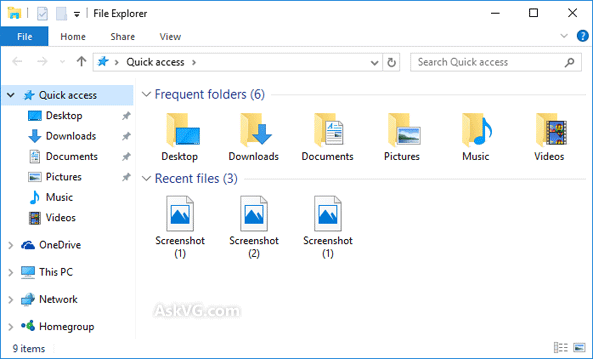
If you are using Windows 10 or have seen the OS in any computer, you might be aware of the new Home aka Quick Access View introduced in Windows 10 File Explorer (previously known as Windows Explorer or My Computer). This new Quick Access or Home view is the default page of File Explorer in Windows 10 and whenever you open File Explorer using its shortcut icon or WIN+E hotkey, this new view is shown in File Explorer. It shows frequently used folders and recently used files list in File Explorer as shown in following screenshot: ...